AI image generation, editing, graphic design, and UI tools
10 Tools Reviewed
Expert Curated
Regularly Updated
#1 Best Overall
Invideo AI
Turn any idea into videos with AI — ads, explainers, stories, and more
Free / $15/mo
Free Tier
Invideo AI is a text-to-video platform that generates full-length videos from natural language prompts, integrating multiple AI video models including Sora 2 and Google VEO 3.1. It serves content creators, marketers, businesses, and filmmakers who want to produce ads, promos, explainers, short films, and social media content without traditional video production skills. The platform also includes AI image generation, avatar creation, and voice capabilities.
Pros
Integrates multiple leading AI video models (Sora 2, VEO 3.1) in one platform
Supports a wide variety of video types from UGC ads to cinematic short films
Full-length video generation without 12-second clip limitations
Cons
Free tier is very limited with only 2 video minutes and 1 AI credit per week
Free exports include a watermark and no access to generative features
Pricing tier details beyond the free plan are not fully transparent on the website
Best for:Content creators and marketers who need to produce diverse video content quickly
Midjourney is an AI image generation service that transforms text prompts into high-quality, stylized images. It is widely regarded for producing some of the most aesthetically appealing AI-generated artwork and is used by artists, designers, marketers, and hobbyists for creative visual production.
Pros
Produces consistently high aesthetic quality images with strong artistic style
Active community on Discord for sharing prompts, tips, and inspiration
Regular model updates that significantly improve output quality
Cons
No free tier available — requires a paid subscription to use
Less precise control over exact compositions compared to some competitors
Stealth mode (private generations) only available on Pro and Mega plans
Best for:Artists and designers needing high-quality AI-generated visuals from text prompts
AI video generation platform — reality is optional
Freemium
Pika is an AI video generation platform that converts text prompts and images into video content. Its Pikaformance model specializes in generating hyper-realistic facial expressions synced to audio input, allowing static images to appear to sing, speak, or perform. The tool is web-based and targets creators who want to produce video content quickly without traditional video production skills.
Pros
Pikaformance model produces hyper-realistic lip-synced facial expressions from static images
Near real-time generation speed for quick iteration
Multiple sign-in options (Google, Facebook, Discord, email) lower the barrier to entry
Cons
Pricing details are not publicly displayed on the website, making cost planning difficult
Limited publicly available documentation on model capabilities and technical specs
Feature set and editing tools are not clearly described on the marketing pages
Best for:Content creators who want to generate expressive AI videos from images and text
AI-powered video and image generation for creative professionals
Free / $12/mo
Free Tier
Runway is an AI creative platform centered on video and image generation, offering its proprietary Gen-4.5 model alongside third-party models like Kling, Sora, and Veo. It provides specialized apps for tasks like object removal, relighting, style transfer, and dialogue addition, plus a node-based Workflows system for chaining models together. The platform serves filmmakers, advertisers, VFX artists, and enterprises including Lionsgate and NVIDIA.
Pros
Offers both proprietary and third-party models (Kling, Sora, Veo, FLUX) in one platform
Specialized apps for specific tasks like object removal, relighting, and virtual try-on reduce complexity
Node-based Workflows feature allows chaining multiple models and steps for advanced control
Cons
Credit-based pricing can make costs unpredictable for heavy users
Video generation quality varies by model and prompt, requiring experimentation to get desired results
Limited information on exact credit costs per generation across different models and apps
Best for:Filmmakers and creative professionals who need AI video generation and editing
Creator-first generative AI platform for images, art, and video
Free / $12/mo
Free Tier
Leonardo.Ai is a generative AI platform for creating, editing, and upscaling images and videos from text prompts. It offers multiple proprietary and third-party AI models, real-time canvas tools, character/style consistency features, and custom model training. The platform targets creative professionals including artists, designers, marketers, and developers, with both a web interface and a developer API.
Pros
Multiple AI models available in one platform with instant switching between them
Generous free tier with 150 daily tokens and access to all model types
Full creative pipeline — generate, edit, upscale, and animate in a single tool
Cons
Token-based system can be confusing — different models and features consume tokens at different rates
Relaxed (unlimited) generation is limited to specific older models, not the latest ones
Free tier lacks private generations, so all outputs are publicly visible
Best for:Creative professionals who need fast, high-quality AI image and video generation
AI presentation maker that creates professional decks in minutes, not hours
From $45/mo
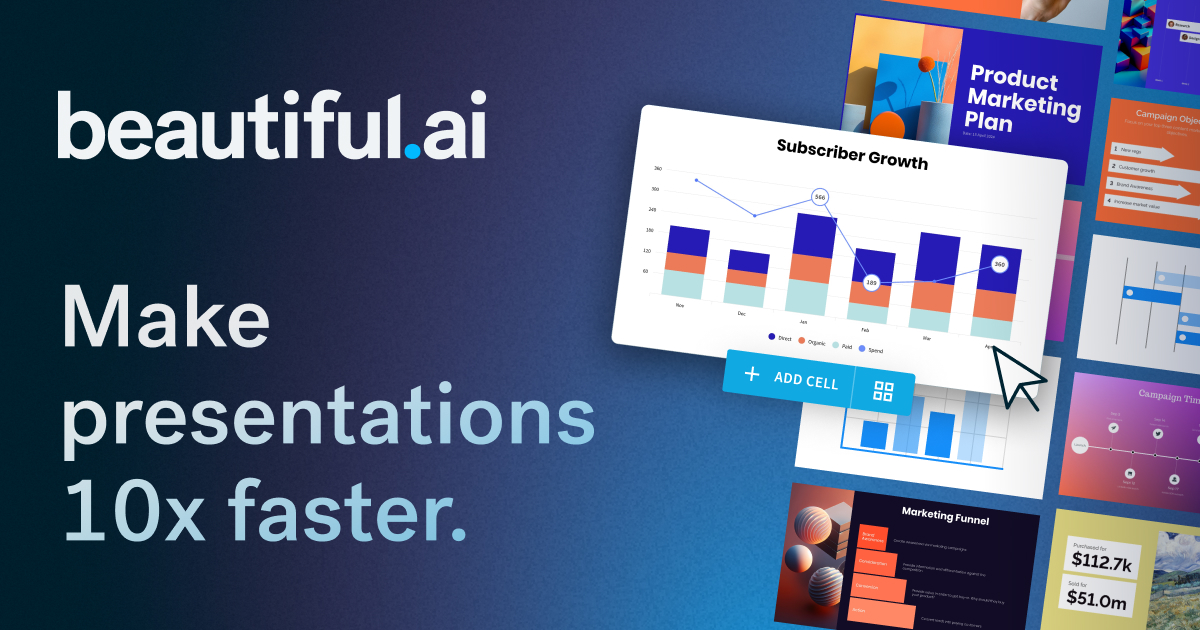
Beautiful.ai is a presentation platform that uses AI to generate slide decks from text prompts and automatically handles design, layout, and formatting through its Smart Slides system. It targets business professionals, sales teams, and marketers who need polished presentations without dedicating time to manual design. The platform includes collaboration features, brand controls, viewer analytics, and integrations with tools like PowerPoint, Salesforce, and Slack.
Pros
Smart Slides auto-format layout, spacing, and design as you edit, eliminating manual formatting
Generates full presentation drafts from a text prompt in seconds
Strong team collaboration features including locked slides, shared libraries, and viewer analytics
Cons
No free tier—requires paid subscription after 14-day trial
Teams plan minimum is 2 seats at $40-50/user/month, which can be costly for small teams
Smart Slides auto-design approach may limit fine-grained layout control compared to traditional tools
Best for:Sales and marketing teams who create frequent presentations and need consistent branding
Free online AI image generator powered by Flux.1 models from BlackForestLabs
Freemium
Free Tier
Flux1.AI is a freemium web platform that lets users generate high-resolution images from text prompts using BlackForestLabs' FLUX.1 model family. It supports multiple model variants (pro, dev, schnell), various art styles, video generation, and image editing features like upscaling and natural language editing via Flux Kontext. It's aimed at creators, designers, and hobbyists who want accessible AI-generated visuals without complex setup.
Pros
Offers 10 free credits on sign-up with no upfront payment required
Supports multiple FLUX model variants (pro, dev, schnell) for different quality/speed tradeoffs
Generates images up to 2.0 megapixels with multiple aspect ratio options
Cons
Credit-based pricing details beyond the free tier are not clearly displayed on the site
Relies on third-party models (BlackForestLabs), so output quality depends on upstream model performance
Video generation features appear to be aggregated from various third-party models rather than proprietary technology
Best for:Creators and designers who want quick AI image generation from text prompts
AI-powered presentations, documents, and websites in seconds
Free / $10/mo
Free Tier
Gamma is an AI presentation and content platform that generates slides, documents, and websites from text prompts or imported files. It handles design automatically, letting users focus on content rather than formatting. It's aimed at professionals, educators, and teams who need polished visual content without specialized design skills.
Pros
Generates complete presentations from a single text prompt in under a minute
Supports multiple output formats: presentations, documents, and web pages from the same tool
One-click theme restyling changes the entire look without manual reformatting
Cons
Less granular design control compared to traditional tools like PowerPoint or Keynote
AI-generated content may need significant editing for accuracy and tone in specialized fields
Free tier includes Gamma branding/watermark on all content
Best for:Business teams needing quick, polished presentations without design expertise
AI-powered UI design tool for rapid prototyping and wireframing
Freemium
Free Tier
Uizard is an AI-driven UI design tool that lets users generate wireframes, mockups, and interactive prototypes from text prompts, screenshots, or hand-drawn sketches. It targets product managers, startup founders, marketers, and non-designers who need to quickly visualize and communicate product ideas without deep design expertise. The platform includes real-time collaboration, developer handoff in CSS/React, and AI features like heatmap prediction and automated design reviews.
Pros
Text-to-prototype generation creates multi-screen designs from simple descriptions in seconds
Screenshot and hand-drawn wireframe scanning converts existing ideas into editable digital designs